
Install Clash on HarmonyOS Using ZhuoYiTong Guide
For HarmonyOS users who want to use Clash for proxy, besides using the native HarmonyOS app Clash Box, you can also install Android version of Clash clients through ZhuoYiTong. This guide will explain in detail how to install and use Clash on HarmonyOS using ZhuoYiTong.
What is ZhuoYiTong?
ZhuoYiTong is an Android app compatibility layer tool designed specifically for HarmonyOS, allowing users to install and run Android applications on HarmonyOS. Through ZhuoYiTong, HarmonyOS users can easily install various Android versions of Clash clients without the complex signing certificate process.
Why Choose ZhuoYiTong?
- No Signing Certificate Required: Unlike installing .hap files which require self-signing certificates, ZhuoYiTong installation is much simpler
- Good Compatibility: Supports most Android applications, including the Clash series of clients
- Easy Operation: Install APK files just like on an Android phone
Preparation
1. Download ZhuoYiTong
First, you need to install the ZhuoYiTong app on your HarmonyOS device:
| Platform | How to Get |
|---|---|
| HarmonyOS | Search for "ZhuoYiTong" in Huawei AppGallery and download |
Notes
- Please make sure to download the official version of ZhuoYiTong from Huawei AppGallery
- First launch of ZhuoYiTong requires initialization setup, please be patient
- Some device models may require enabling certain permissions
2. Download Clash Client
Choose a suitable Android Clash client to download:
| Client | Version | Proxy Accelerated | Direct GitHub |
|---|---|---|---|
| Clash Meta for Android (Recommended) | 2.11.17 | Download | Download |
| FlClash | 0.8.90 | Download | Download |
| Clash for Android | 2.5.12 | Download | Download |
Client Recommendations
- Clash Meta for Android: Active community, feature-rich, highly recommended
- FlClash: Developed with Flutter, beautiful interface
- Clash for Android: Classic original version, no longer updated
Installation Steps
1. Install ZhuoYiTong
- Open Huawei AppGallery
- Search for "ZhuoYiTong"
- Click install and wait for download to complete
- First time opening ZhuoYiTong, follow the prompts to complete initialization setup
2. Install Clash via ZhuoYiTong
- Save the downloaded Clash APK file to your phone's local storage
- Open the ZhuoYiTong app
- Click "File Install" or "Local Install" button
- Find and select the APK file you just downloaded
- Click "Install" and wait for installation to complete
- After successful installation, you can launch the Clash app within ZhuoYiTong
Installation Tips
- If installation fails, check if the APK file is complete
- Some versions may have compatibility issues, try Clash Meta for Android first
- Keep ZhuoYiTong in the foreground during installation
3. Get a Subscription
⚠️ Important:
Please note that Clash is a proxy tool, not a proxy service provider. Installing it alone does not enable internet access. You need a how-choose-service (service provider) to get started. If you are unsure how to choose a provider, read How to Choose the Right Provider↗.
If you don't have a how-choose-service yet, Learn how to choose a provider↗
- Log in to the provider's official website
- Click to import how-choose-service
- Click to copy how-choose-service
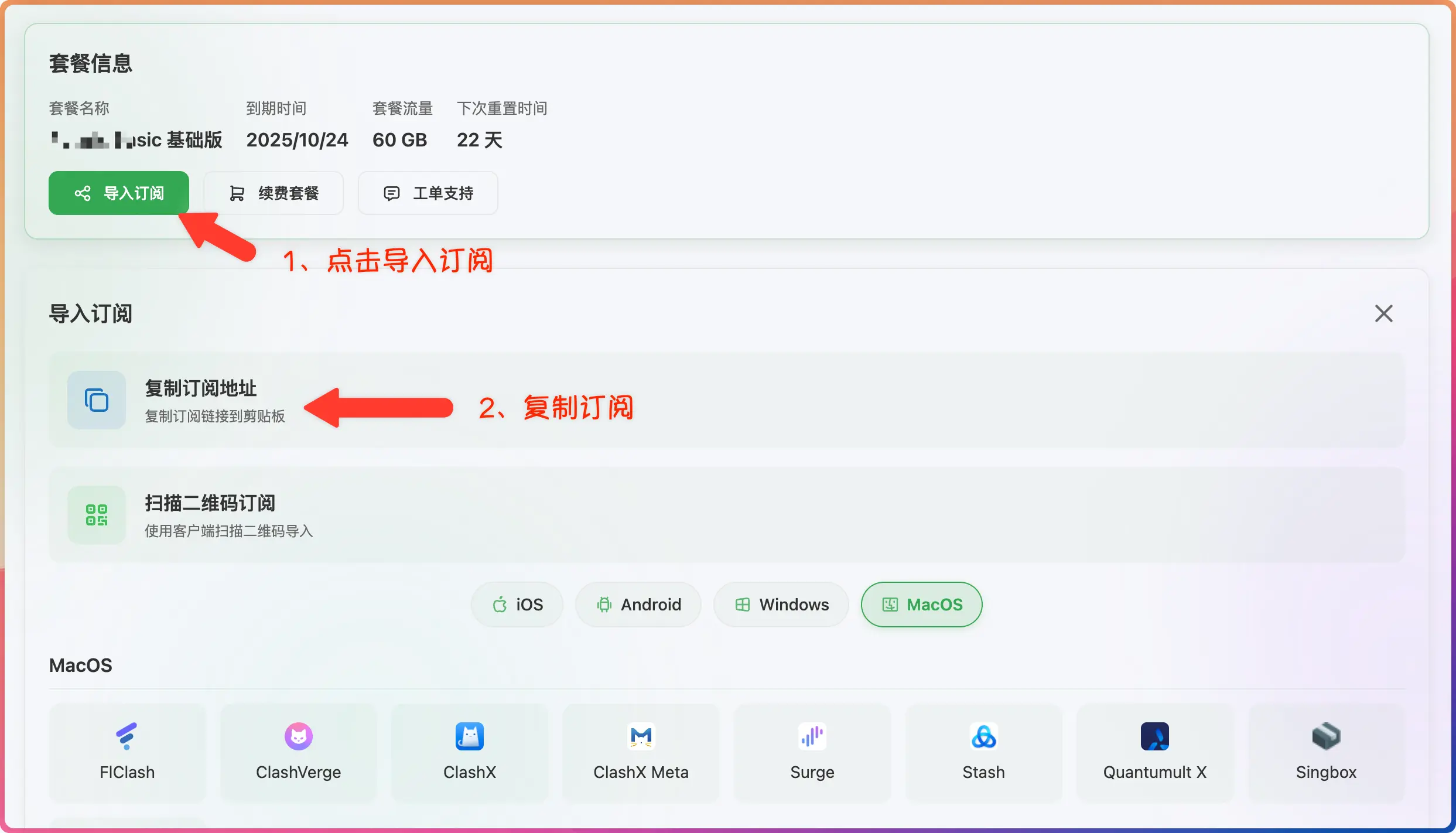
4. Import Subscription
- Open the installed Clash app within ZhuoYiTong
- Go to "Profiles" or "Configuration" page
- Click "New Profile" or the "+" icon
- Select "Import from URL"
- Paste the copied how-choose-service address
- Click save or download
5. Start Proxy
- Return to the Clash main interface
- Select the profile you just imported
- Click "Start" or toggle the switch to enable proxy
- First-time use will prompt for VPN permission, click allow
- Status showing "Running" indicates successful connection
Common Issues
What to do if ZhuoYiTong fails to install APK?
- Check file integrity: Re-download the APK file
- Storage space: Ensure device has enough storage space
- ZhuoYiTong version: Try updating ZhuoYiTong to the latest version
- Compatibility issues: Try other versions of Clash clients
Clash in ZhuoYiTong cannot connect to internet?
- Ensure ZhuoYiTong itself has network permissions
- Check ZhuoYiTong's permission settings in system settings
- Try restarting both ZhuoYiTong and Clash apps
Why recommend ZhuoYiTong over Clash Box?
| Comparison | ZhuoYiTong + Clash | Clash Box |
|---|---|---|
| Installation Difficulty | ⭐ Easy | ⭐⭐⭐ Requires self-signing certificate |
| Open Source | ✅ Clash clients are open source | ❌ Not fully open source |
| Client Options | Multiple choices | Only Clash Box |
| Updates & Maintenance | Active community | Single maintainer |